

Hasbwdsh Channel Link for Tutorials
https://www.youtube.com/@hasbwdsh
Purchase in installments via the Wafi and Tabby apps
https://app.waffyapp.com/contract/1WN0sf9d
Product Description:
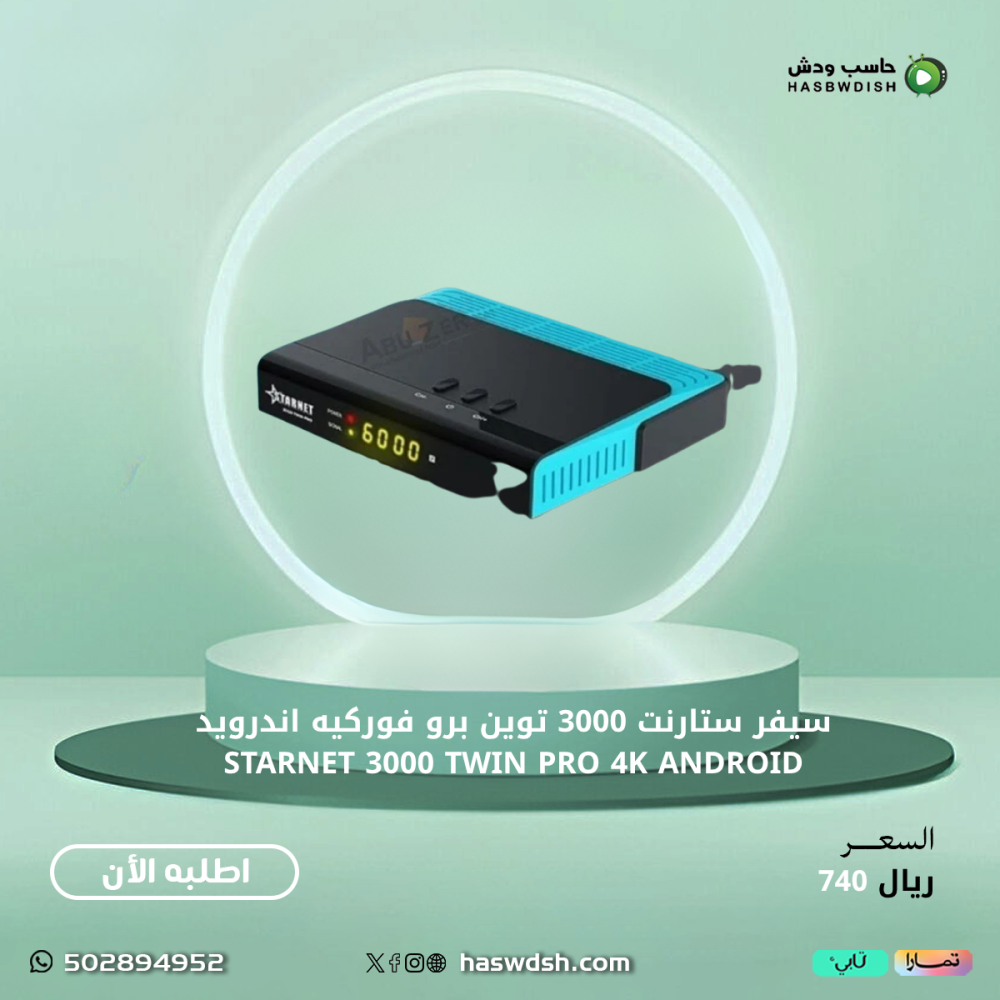
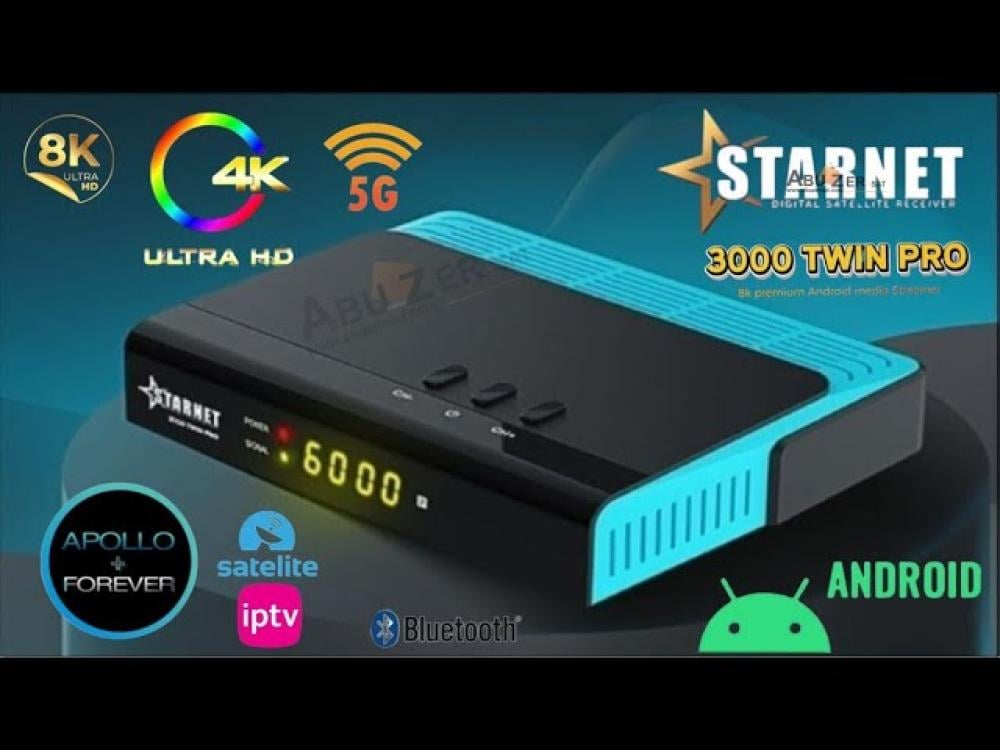
STARNET 3000 TWIN PRO 🔳
Starnet 3000 Twin Pro Android 4K Receiver
A very high-resolution 8K receiver! 📺
🛠️ Technical Specifications:
▪️ Processor: Amlogic S905 X3 ⚡
4x ARM Cortex-A55 @ 1.9 GHz
GPU: 2x ARM Mali-G31 @ 850 MHz
▪️ RAM: 4GB LPDDR-2133 💾
▪️ Internal Storage: 64GB EMMC 🗃️ A first for receivers of this size
▪️ Player Resolution: 8K, 4K UHD, 10-bit H265/H264 🎥
▪️ Operating System: Android 9 🤖
▪️ All-new HDMI 2.1 output 🔌
▪️ Modern Wi-Fi: 2.4GHZ/5GHZ 📶 + 5th generation Bluetooth 🔊
▪️ PowerVU and Biss AutoRun Codes Support 🔐
▪️ 2 USB Ports, including 3.1 ⚡
▪️ File Support: m3u and m3u8 📁
▪️ App Support: Netflix, YouTube, Facebook, and more 🎬
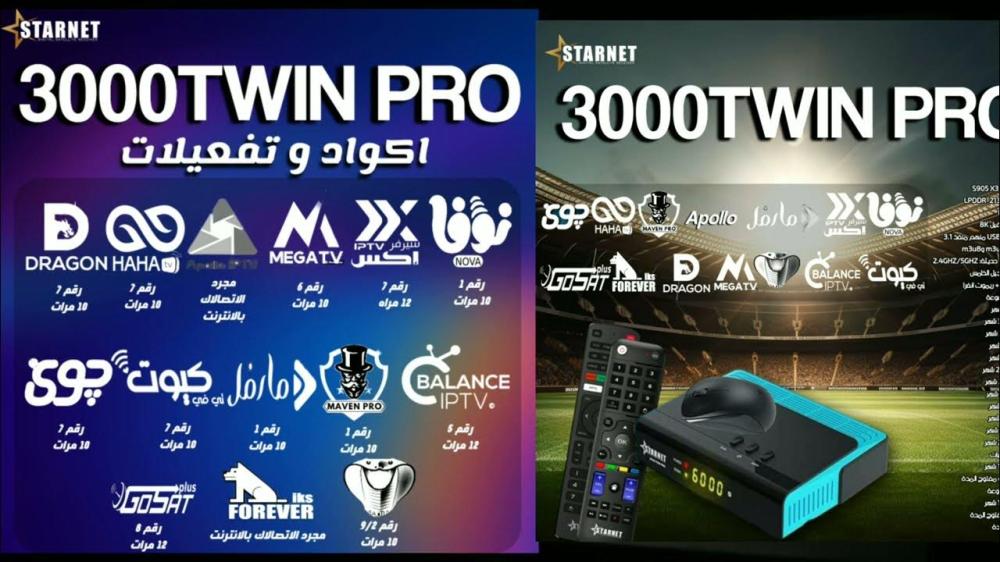
✅ Free Subscriptions with the Device:
1️⃣ Sharing:
💥 Apollo Pro Subscription (formerly Forever Pro): 15 months 🕑
💥 Josat Plus Bundle Subscription until 2049 🔒
2️⃣ i'p't'v Internet Subscriptions:
✅ Apollo: 15 months 🚀
✅ Original Nova: 3 years 🌟
✅ Marvel: 2 years 🦸♂️
✅ X: 2 years ✖️
✅ Mega: 2 years 💪
✅ Dragon: 2 years 🐉
✅ Maven: 2 years 🎯
✅ Balance: 2 years ⚖️
✅ Cobra: 2 years 🐍
✅ Haha: 2 years 😄
✅ Joy: 2 years 🎉
✅ Cute: 2 years 🐾
🔴Subscription codes are shown in the images.
3️⃣ Audio:
🎤 Forever: 15 months 🎧
🎤 Josat: Unlimited 🔓
🎤 Nova: Unlimited 🎼
🔴It is necessary to update the receiver upon first use for all menus and options to appear.
Download link Software
https://mega.nz/file/CRlhGSTS#FdxtqyyPt-cVagVR4nY-x8JYyunL1rHkLSIgLoWDqKA
🔴It is important and necessary to perform a factory reset after the first update.
🔴Subscription applications are downloaded from the device's green App Store.
🔴Box Contents:
-Receiver
-Two remote controls
-HDMI cable
-Mouse
-Dual power adapter
💥 Twin 3000 Pro 4k device explanation
1️⃣ First explanation...
How to update the device, factory reset, and how to download the channel file.
https://youtu.be/71NWW7kn6ZY?si=pyhWFSKWoDq0aca8
~~~~~~&~~~~~~~~
2️⃣ Second Explanation...
Adding a new satellite or frequency, adjusting the DiseqC, and how to modify channels.
https://youtu.be/hPE2fzHUnys?si=DCwSpftsaBXKy7ax
~~~~&~~~~
3️⃣ Third Explanation...
How to activate SharePoint servers and IPTV.
https://youtu.be/CXsuc1OCLAU?si=oykV6eYKQBpnS-EY
~~~~~&~~~~~
4️⃣Fourth Explanation...
Very important settings. Must be on your device
https://youtu.be/-OjmxOBhC1A?si=4lgkSNR4Qb-4twrp
Basic Twin Pro Starnet Codes ⚡:
🔹 F1 + 000: Activate the batch server menu 📡
🔹 F1 + 111: Restart the receiver ⚙️
🔹 F1 + 135: Open the hidden Android menu 📲
🔹 F1 + 112: Run two channels simultaneously ✅✅
🔹 F1 + 555: Open the external flash drive menu 🛠
🔹 F1 + 333: Open the channel's bis shortcut 💢
🔴There are no refunds or exchanges for devices with activated subscriptions. Due to the nature of the product.
Description
Subtitle